Scheduling Pods on VK nodes
Each VK node in the Kubernetes cluster is exclusively tied to an organization’s project on SaladCloud, and any GPU resources not created by the VK node will be automatically removed. VK nodes are also deployed with specific labels, annotations, and taints, which are utilized for efficient scheduling. Here is an example: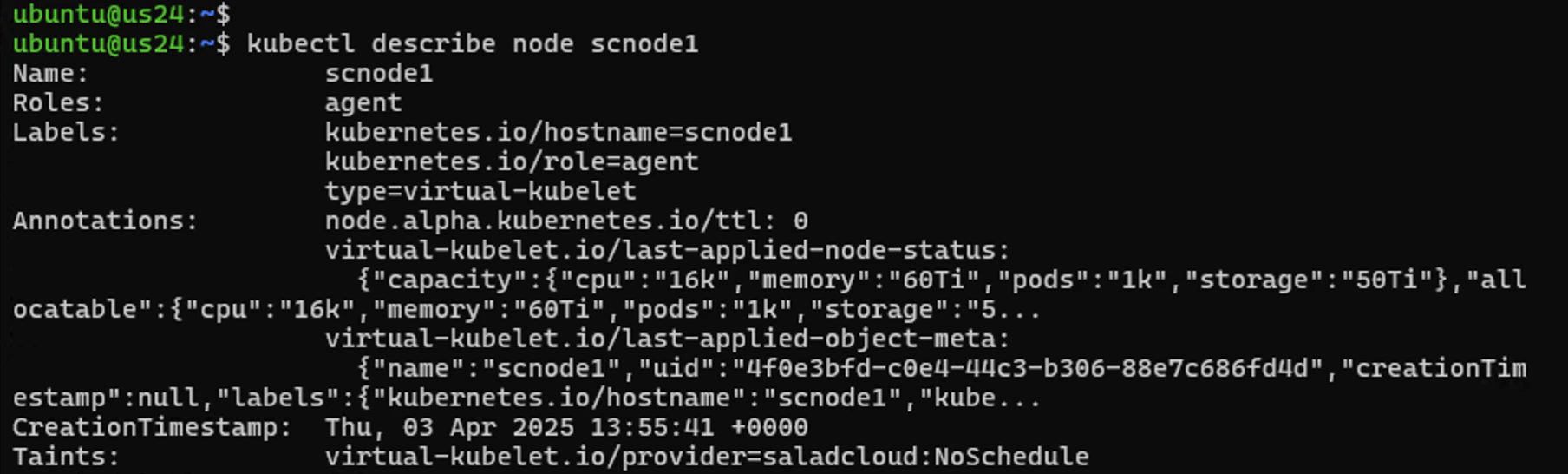
Using SaladCloud APIs/SDKs
Before creating Kubernetes manifests to deploy GPU resources on SaladCloud, it is recommended to first familiarize yourself with SaladCloud’s key features and APIs. Here are code snippets demonstrating how to interact with SaladCloud using its Python SDK. First, set up a Python virtual environment and install the SDK, and retrieve your SaladCloud account details, including your organization name, project name and API key. When using the Salad VK solution, you may need a large number of single-replica container groups on SaladCloud. Be sure to check your organization’s quotas, and contact us for adjustments if they are insufficient.Defining a Kubernetes Deployment Manifest
Here is the corresponding Kubernetes deployment manifest to achieve a similar outcome on SaladCloud as the Python code above:vkapp_demo.yaml
Mapping from Kubernetes to SaladCloud
Let’s explore the details of how the parameters are mapped from Kubernetes APIs to SaladCloud APIs.
Kubernetes automatically injects additional environment variables when a Pod is launched, including service discovery
variables and Kubernetes API access details within the assigned namespace. The VK provider also injects the
POD_METADATA_YAM environment variable, which facilitates synchronization between the Kubernetes cluster and SaladCloud.
All these environment variables will be propagated to SaladCloud and can be observed in the corresponding container
groups.
If the environment variables grant containers running on SaladCloud access (sensitive credentials) to external resources
such as job queues, databases, or cloud storage, they should not be hardcoded in the Kubernetes deployment manifest.
Instead, it’s best to define them as Kubernetes secrets and reference them securely within the deployment manifest.
Additionally, access to the Kubernetes namespace where the virtual pods run should be managed carefully according to
least privilege principles, as environment variables can be dynamically retrieved, ensuring better security and limits
exposure to these sensitive credentials.
For Networking (Container Gateway), the generated URL will be written back to the annotations of each pod upon
deployment in a future version (not supported in v0.2.3). In the meantime, alternative access methods are available
for these virtual pods—please refer to
the service access guide for details.
If the above example does not fully cover the mappings for your use cases, you may test and adjust the deployment
manifest, check the created resources on SaladCloud, and review
the source code
for further insights.
There are still some issues which are being
addressed, please check them first before proceeding.
Applying Kubernetes Deployment Strategies and Features
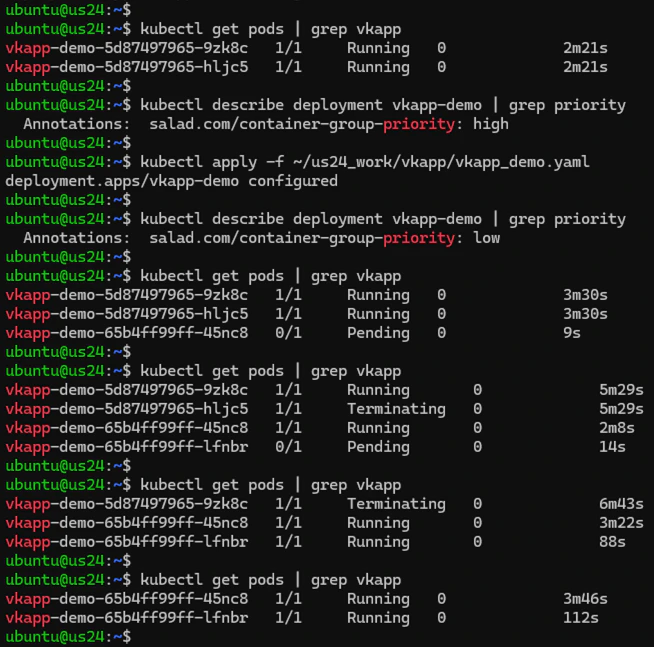
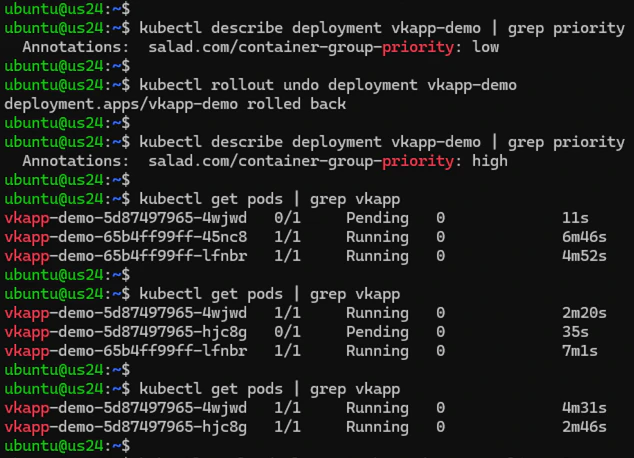
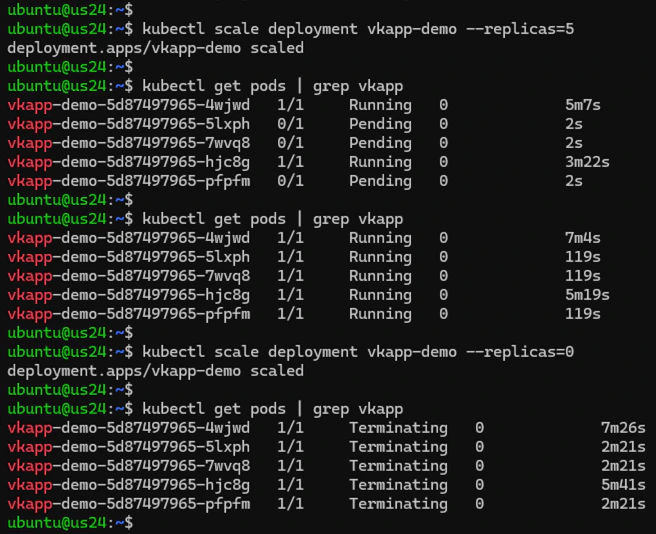
Kubernetes provides a variety of deployment strategies and features that can be leveraged to manage GPU resources on SaladCloud. Let’s explore some examples of how these can be applied. For the vkapp_demo deployment with two replicas, we adjust the container group priority from high to low and then apply the change. This triggers the default rolling update strategy, which gradually replaces old pods with new ones (rather than updating existing ones via the SaladCloud Update APIs). This strategy helps minimize downtime, ensuring that the application remains available throughout the update process.