

Step 1: Create an Account and Organization
- Create a SaladCloud account or sign in to your existing account.
- Create an organization in the portal. If you need help, follow the account setup guide.
- Open the organization you want to use with Salad AI Gateway.
Gateway access is configured per user, per organization. If you use AI Gateway with more than one organization, create
a separate key for each organization.
Step 2: Add Credits to the Organization
AI Gateway pay-per-token usage draws from the selected organization’s SaladCloud credit balance. In the organization, select Billing & Usage from the left navigation and add credits. The organization must have a positive credit balance before it can process AI Gateway requests. Credits are checked when each request is admitted. If credits run out during generation, requests already admitted are allowed to complete and are billed; new requests return402 credits_exhausted until the balance is positive.
See Billing for instructions on adding credits and configuring auto recharge.
Step 3: Create an AI Gateway API Key
- Open the organization you want to bill for AI Gateway usage.
- In the left navigation, select AI Gateway.
- Click Create API Key for organization name.
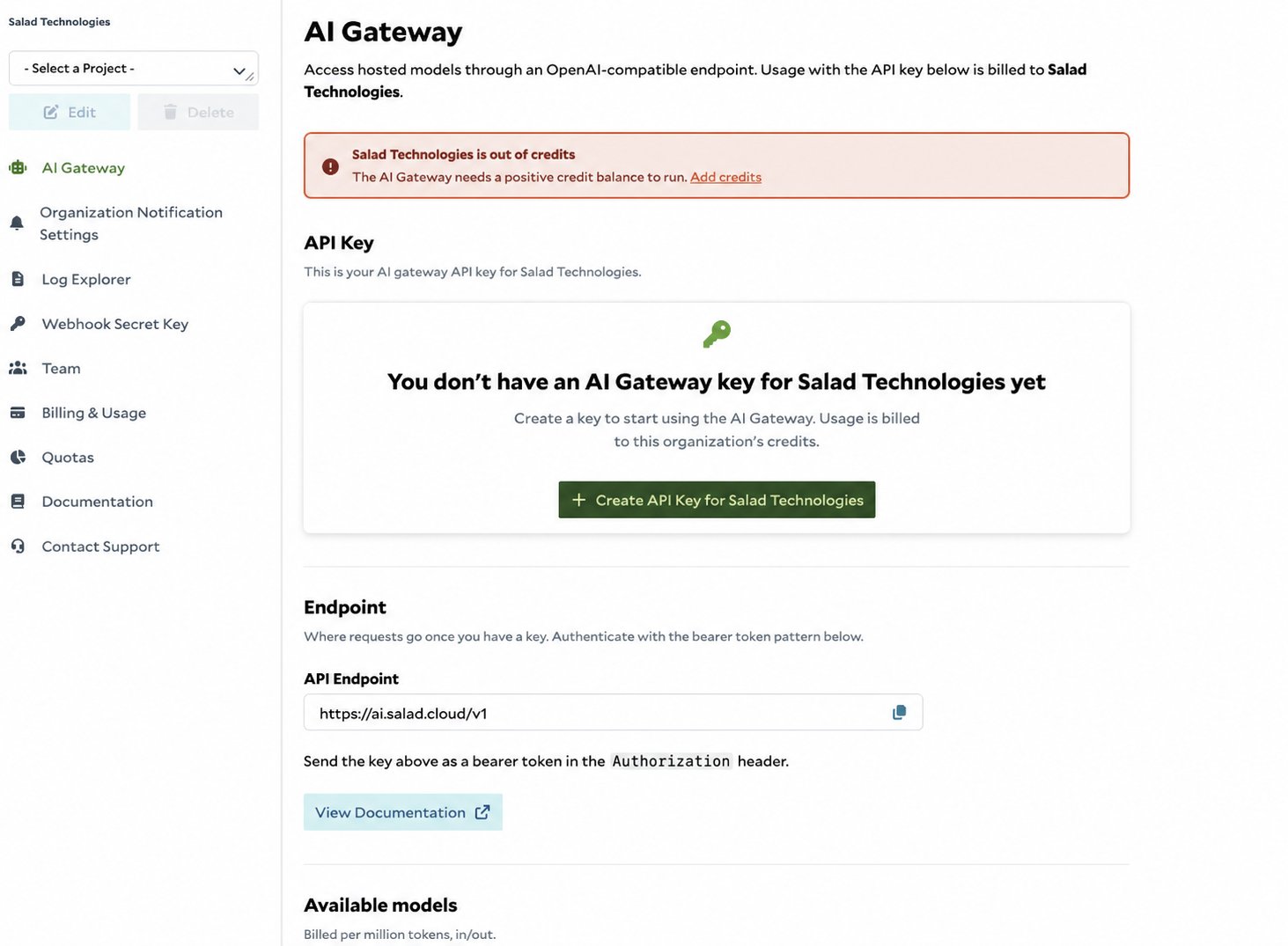
Step 4: Retrieve and Copy the Key
- Select your username in the upper-right corner of the portal.
- Select API Access.
- Under AI Gateway Keys, find the organization you selected.
- Click the copy icon next to the masked key.
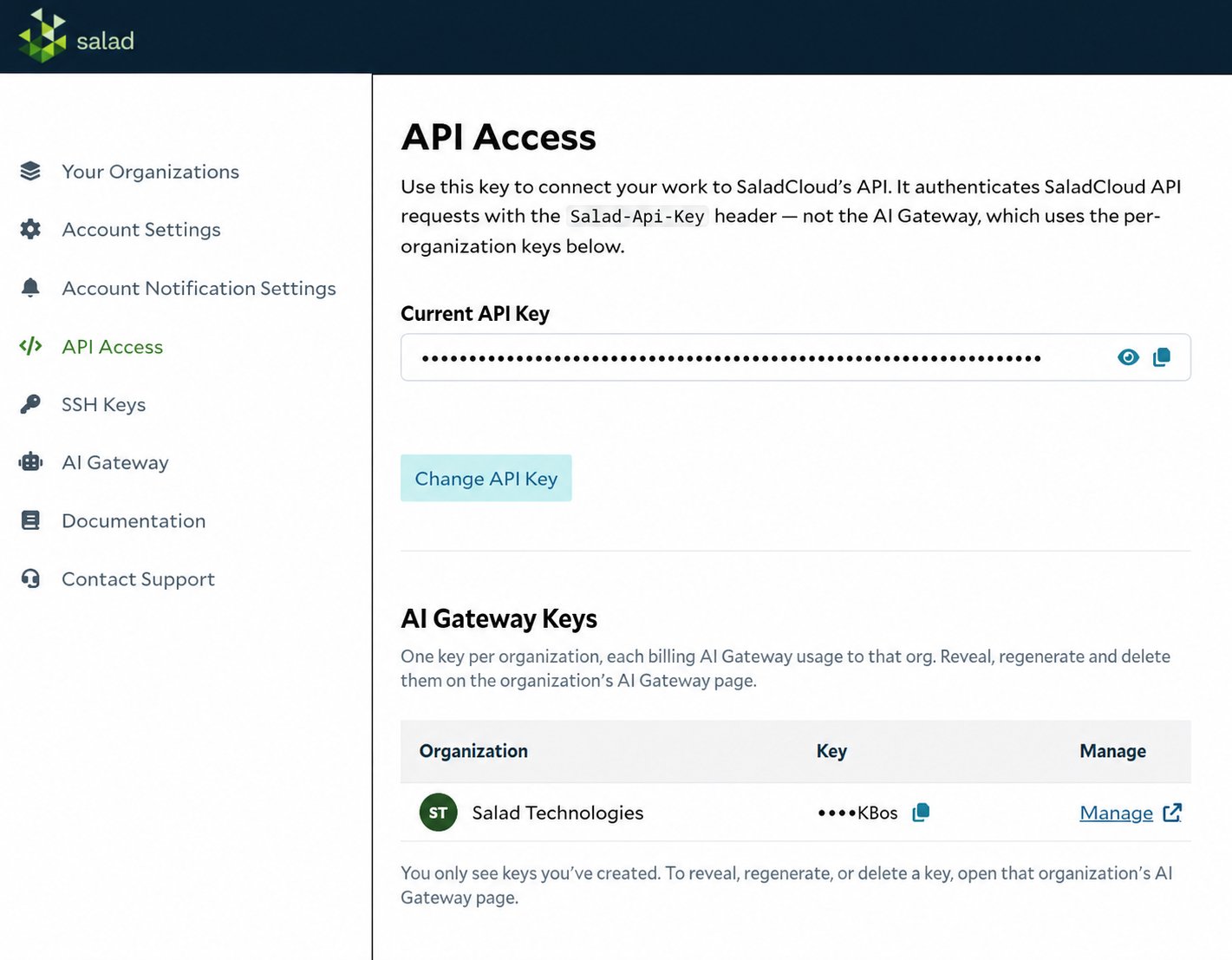
The Current API Key at the top of the page authenticates other SaladCloud APIs with the
Salad-Api-Key header. It
does not authenticate AI Gateway requests. Use the organization-specific key listed under AI Gateway Keys as a
Bearer token.Step 5: Store the Key Securely
Store the copied key in an environment variable instead of hardcoding it in your application:Step 6: Make Your First Request
Send the AI Gateway key as a Bearer token to the OpenAI-compatible endpoint:Next Steps
- Follow the Getting Started guide for Python, JavaScript, and streaming examples.
- Review the Models reference for model IDs and capabilities.
- Browse AI Gateway integrations for coding agents, IDEs, and frameworks.
- Check AI Gateway Errors for credit or access failures.