> ## Documentation Index
> Fetch the complete documentation index at: https://docs.salad.com/llms.txt
> Use this file to discover all available pages before exploring further.
# Create An Account
> Start using the powerful network of SaladCloud GPUs in under 5 minutes
*Last Updated: October 30, 2024*
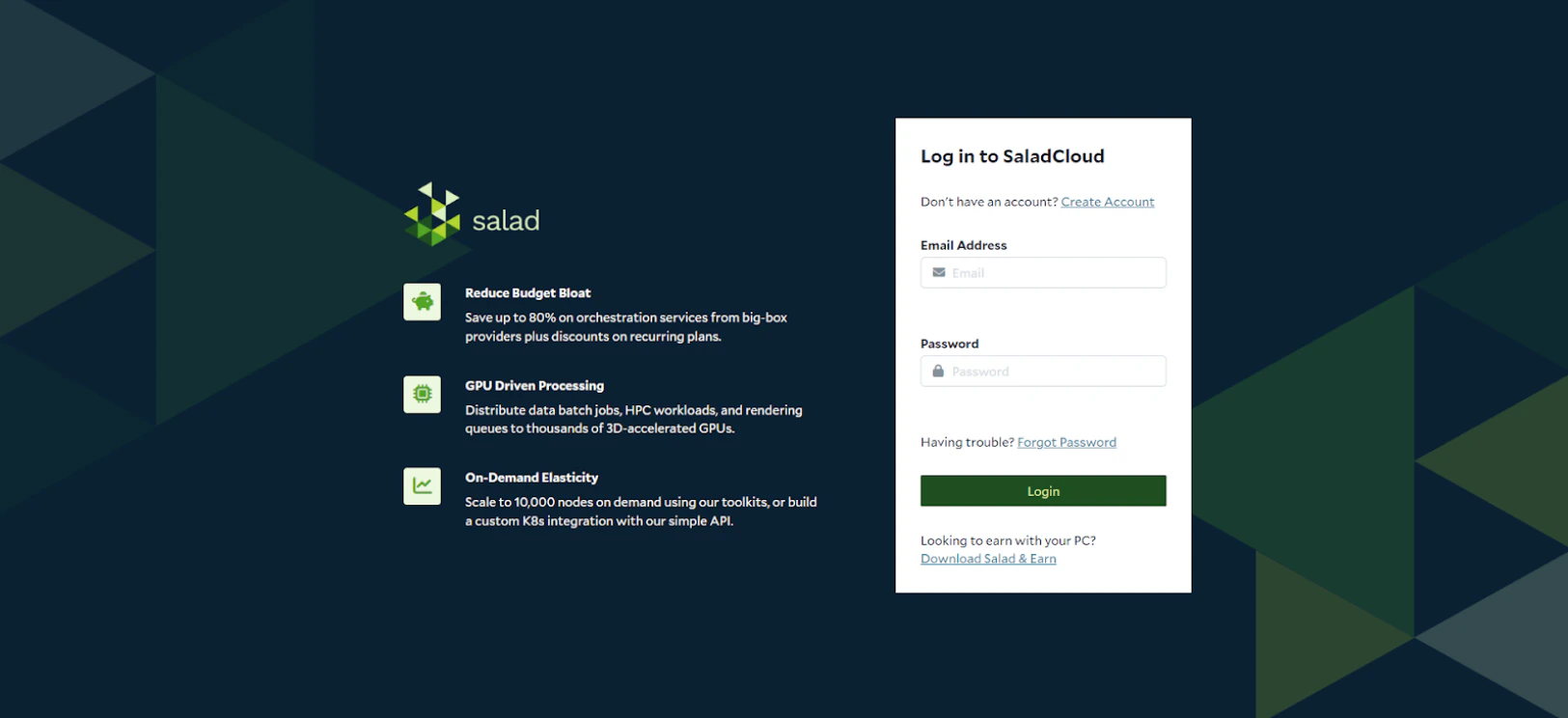
## Create your SaladCloud Account
The first thing you will need to do is create a SaladCloud account on the [SaladCloud Portal](https://portal.salad.com/)
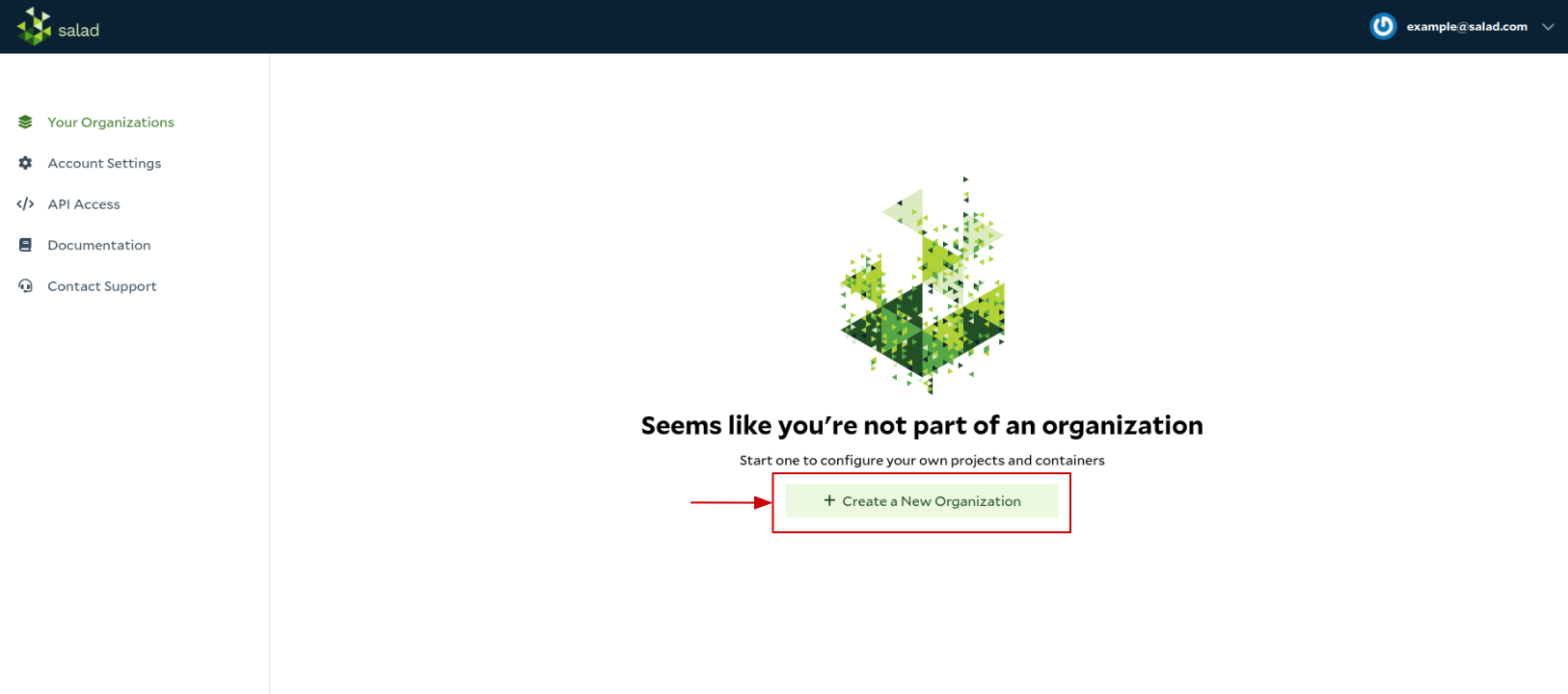
 ## Create a new Organization and Project
An Organization allows you to collaborate with your team. Once you create an organization, you can invite others to
collaborate.
## Create a new Organization and Project
An Organization allows you to collaborate with your team. Once you create an organization, you can invite others to
collaborate.
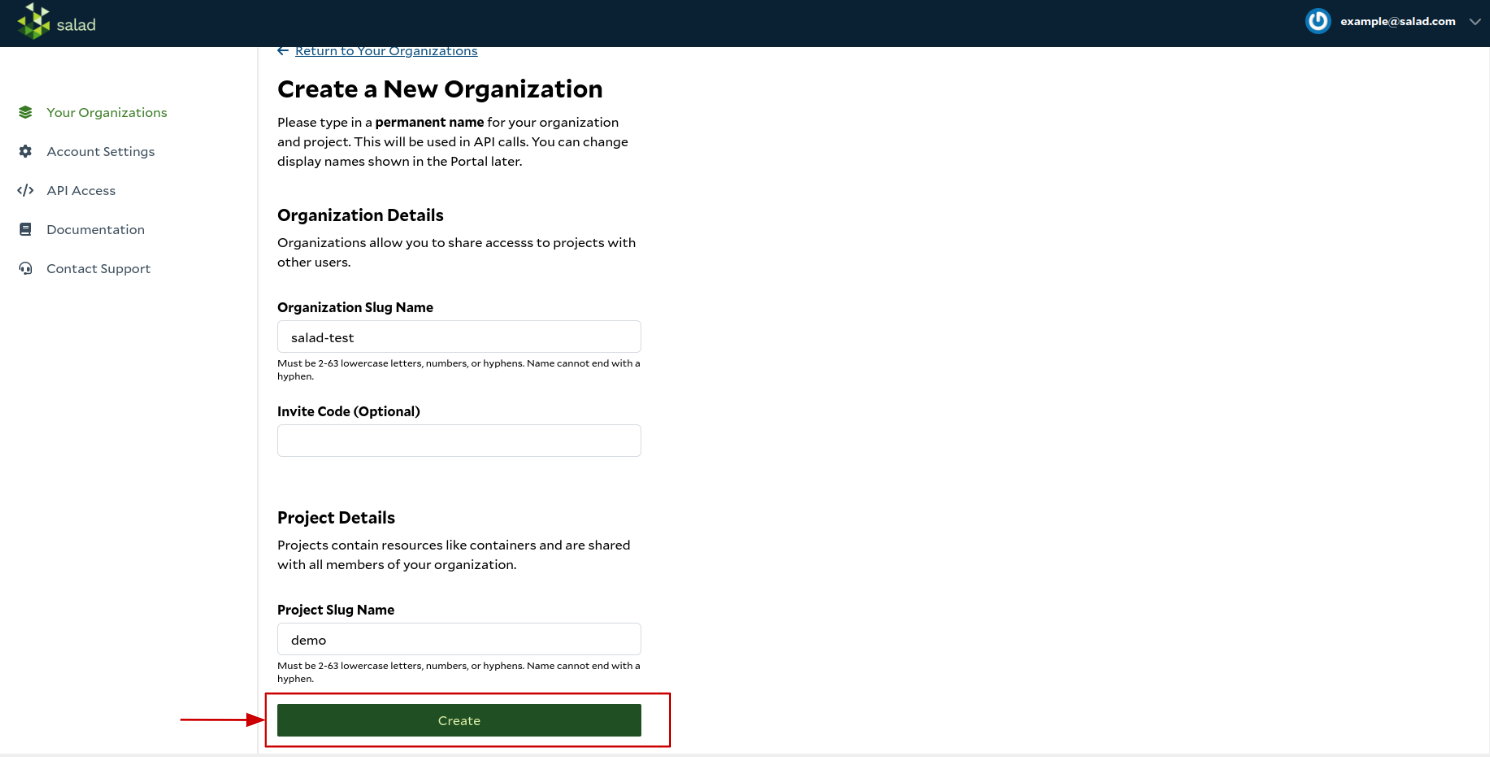
 A project acts like a group or a folder to group your resources under. A common example is to create one project for
`production` and another for `development`, ensuring you don't make a change in the wrong environment.
A project acts like a group or a folder to group your resources under. A common example is to create one project for
`production` and another for `development`, ensuring you don't make a change in the wrong environment.
 ## Add a Billing Method
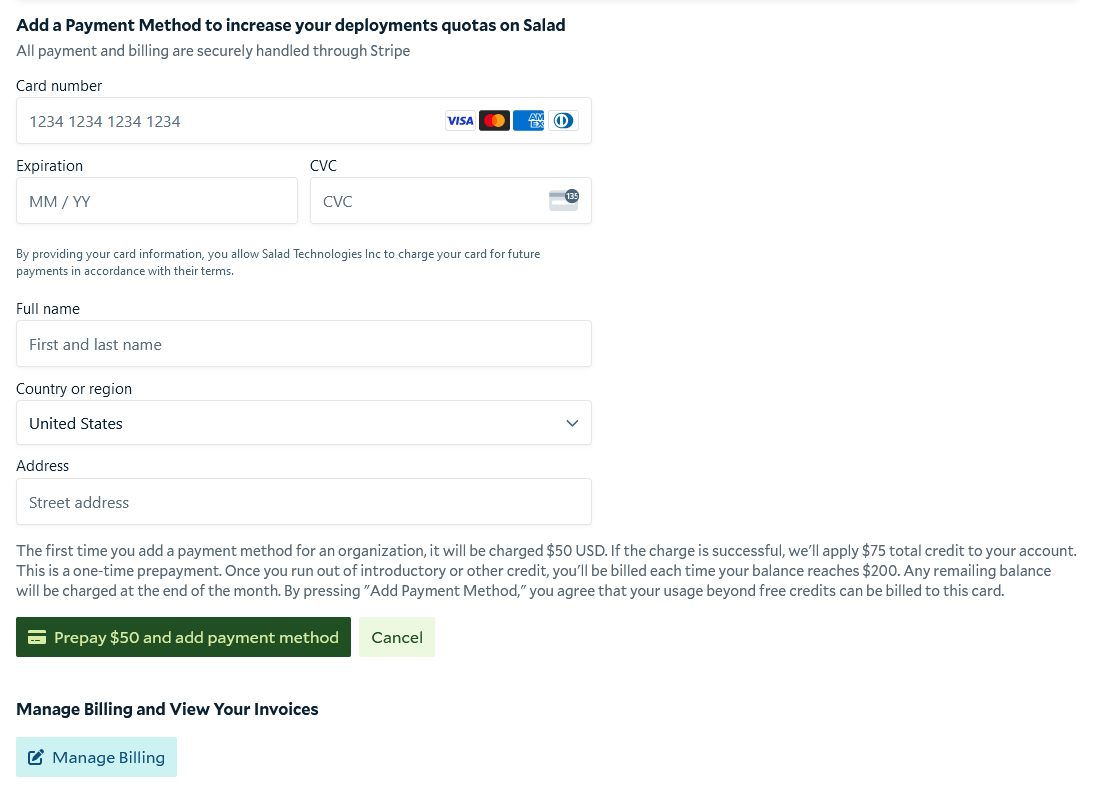
Your SaladCloud organization must have a billing method associated with it in order to deploy a container or use any of
the inference endpoints.
## Add a Billing Method
Your SaladCloud organization must have a billing method associated with it in order to deploy a container or use any of
the inference endpoints.
 Now you have successfully created your SaladCloud account, you can start leverage the power of 10,000s of GPUs!
## Select Your Product
Select any of the products below to continue...
Deploy your own custom application on SaladCloud's managed container service
Safe and secure residential IPs dedicated to streaming media.
The lowest cost, highest quality transcription service on the market.
Temporarily upload assets for use on SaladCloud.
Ready-to-deploy, easy-to-customize applications for popular use cases.
Now you have successfully created your SaladCloud account, you can start leverage the power of 10,000s of GPUs!
## Select Your Product
Select any of the products below to continue...
Deploy your own custom application on SaladCloud's managed container service
Safe and secure residential IPs dedicated to streaming media.
The lowest cost, highest quality transcription service on the market.
Temporarily upload assets for use on SaladCloud.
Ready-to-deploy, easy-to-customize applications for popular use cases.