> ## Documentation Index
> Fetch the complete documentation index at: https://docs.salad.com/llms.txt
> Use this file to discover all available pages before exploring further.
# Liveness Probes
*Last Updated: October 15, 2024*
# Overview
Liveness probes are similar to startup probes, except that they run after the startup probe has completed successfully.
Typically, Liveness probes are used to evaluate whether the application running in your container is in a healthy state.
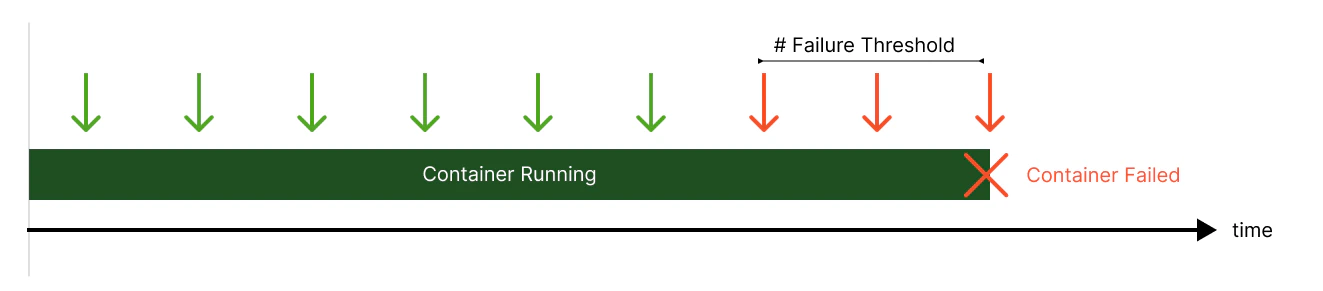
If a container's liveness probe reaches the failure state, the container will be reallocated to a different node.
Liveness probes are a good place to put logic that checks for CUDA errors, and other unrecoverable states.
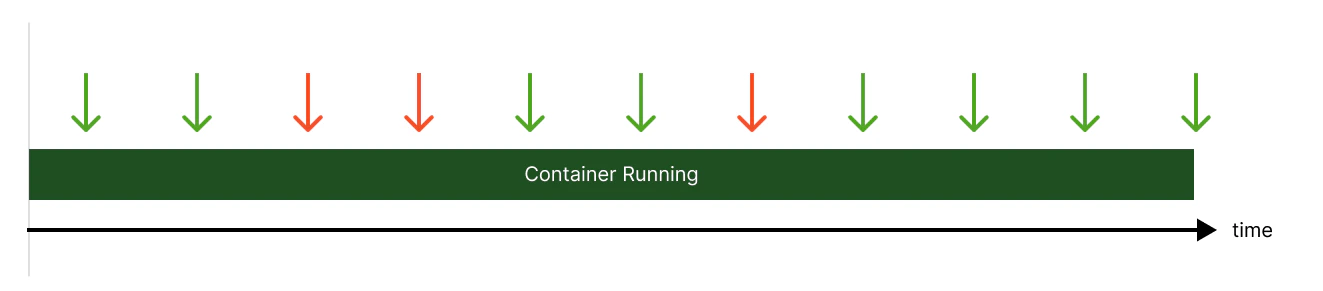
## Successful Liveness Probe
 ## Failed Liveness Probe
 # Configuration
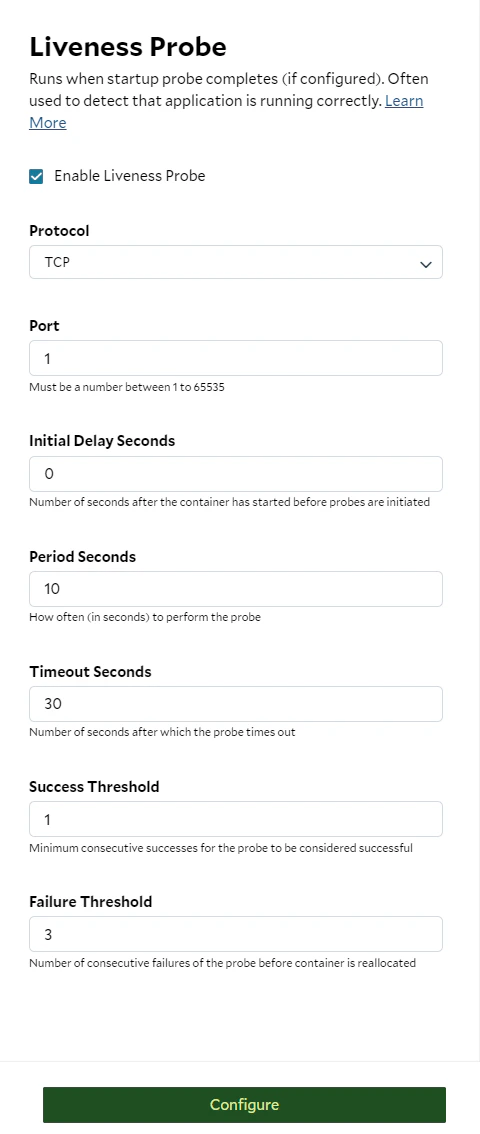
Check the checkbox to enable the liveness probe. Currently, the supported protocols are `exec`, `gRPC`, `TCP`, and
`HTTP/1.X`
# Configuration
Check the checkbox to enable the liveness probe. Currently, the supported protocols are `exec`, `gRPC`, `TCP`, and
`HTTP/1.X`